
Password Security for Virtual Assistants: How to Keep Client Data Safe
-
Password Security for Virtual Assistants: How to Keep Client Data Safe
- How Do I Keep Client Passwords Secure as a Virtual Assistant?
- How Do I Create Strong Passwords for Client Accounts?
- How Does a Home Office Shredder Help With Client Data Security?
- How Does Dropbox Help With Data Security for a Small Business?
- What Does UK GDPR Mean for Data Security in a Small Business?
- Should Virtual Assistants Use Public Wi-Fi for Client Work?
- How Can Virtual Assistants Keep Client Data Safe?
- FAQs
Disclosure: Some of the links in this article may be affiliate links, which can provide compensation to me at no cost to you if you decide to purchase. This site is not intended to provide financial advice and is for entertainment only.
Password Security for Virtual Assistants: How to Keep Client Data Safe
Password security for Virtual Assistants is essential because clients trust us with access to their emails, files, accounts and other sensitive business information. As a Virtual Assistant, you need simple systems to keep client data safe, from using a password manager and two-factor authentication to storing files securely and avoiding public Wi-Fi.
I've worked as a Virtual Assistant since 2011 and protecting client information has always been an important part of how I work. In this guide, I'll share the steps I use to protect passwords and client data when working from home.
How Do I Keep Client Passwords Secure as a Virtual Assistant?
As a Virtual Assistant, you may have access to login details for several different clients. Using weak passwords, reusing passwords or storing login details somewhere insecure could put both your business and your clients at risk.
For accounts where I have my own login, I use strong, unique passwords and don't use the same password for different programs. I also use a password manager rather than keeping passwords written down or saved in documents.
For my VA business, I use LastPass. It gives me a password vault for my own business accounts and client logins, so I only need to remember my master password. I've used LastPass in my VA business for years and it makes managing multiple client logins much easier.
If you'd like to see the other tools I use to run my VA business, take a look at my Top 10 Virtual Assistant Tools (Free + Paid). LastPass is one of the tools I use as part of my everyday VA setup.
How Do I Create Strong Passwords for Client Accounts?
I create strong passwords for client accounts by using a password generator rather than making them up myself. I use the free password generator from LastPass, which creates long, unique passwords using a mixture of letters, numbers and symbols. When I set up a new account, I can generate a password and save it directly to my LastPass vault, so I don't have to remember it.
Using different passwords for different accounts is one of the simplest password security measures I use in my VA business. A password manager makes this much easier because I don’t have to create or remember dozens of complicated passwords myself.
You can try the free LastPass Password Generator to create a strong, unique password for your accounts.
Try it here: LastPass Password Generator
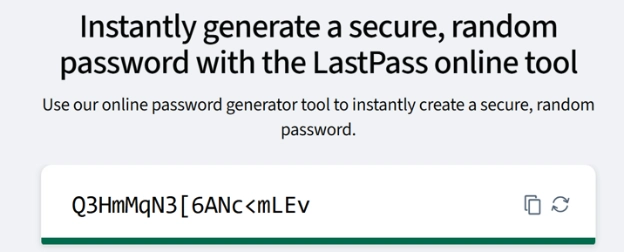
Image description: Screenshot of the LastPass free password generator creating a strong random password with letters, numbers and symbols.
How Does a Home Office Shredder Help With Client Data Security?
A home office shredder helps protect client data by making sure sensitive paperwork is destroyed rather than put in the bin. Even in a digital business, paper still builds up. Client notes or calculations for client finances can all contain sensitive information, so I shred anything containing information I wouldn’t want someone else to see.
I’ve used a basic ProAction shredder for years. It handles five sheets at a time and can shred staples, which is useful when I’m clearing paperwork. The only drawback is that it can overheat if I have a lot to shred at once, but for the amount of paper I use in my VA business, it does the job.
If I were buying one today, I’d choose the Bonsaii 6 Sheet Cross Cut Paper Shredder. It shreds paper, staples, paperclips and cards and is compact enough for a home office.
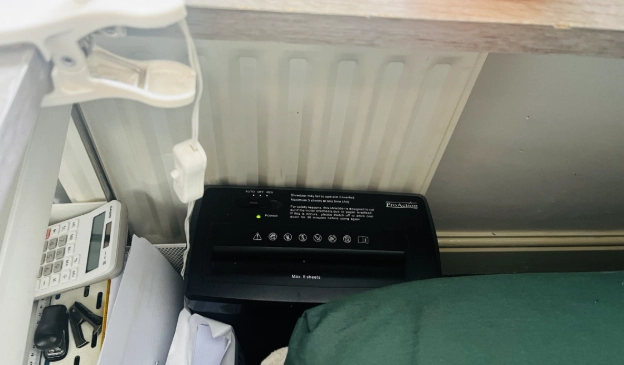
Image description: This is my ProAction shredder, which fits neatly under my desk in a small, tight space out of the way. It’s an important part of small business security, helping me keep client data safe and confidential.
How Does Dropbox Help With Data Security for a Small Business?
I use Dropbox to securely store and access my Virtual Assistant business files in the cloud. My files sync automatically, so I’m not relying on files stored only on my computer. I can also access them from another computer or through the Dropbox app on my phone, which is useful when I need a document away from my desk.
When I first started my VA business in 2011, I used external hard drives and even kept them in a fireproof box. Technology has moved on a lot since then and I now find cloud storage much easier. I don't have to rely on external hard drives to store copies of my files because Dropbox syncs them to the cloud as I work.
Several of my clients use Dropbox too and I’ve always found it easy to work with. I’ve also used OneDrive, SharePoint and Google Drive with clients, but for my own business I still prefer Dropbox. For me, Dropbox is worth the cost for the convenience and peace of mind it gives me. It’s been part of my VA setup for years and is still my preferred way to store my own business files.
What Does UK GDPR Mean for Data Security in a Small Business?
UK GDPR means that as a Virtual Assistant, I have a responsibility to handle personal information carefully and keep it secure. This could include client contact details, customer information, financial records or other personal data I access while completing work for a client. This includes paying the ICO data protection fee and using tools such as LastPass and Dropbox to help keep information secure. You can check the latest UK GDPR guidance and whether you need to pay the data protection fee directly with the ICO.
Should Virtual Assistants Use Public Wi-Fi for Client Work?
I don’t use public Wi-Fi when I’m doing client work. If I need to work away from home, I connect my laptop to the personal hotspot on my phone instead. It uses my mobile data and drains my phone battery more quickly, but I prefer this when I need to access client systems in places such as cafés or hotels.
I also used my phone hotspot during jury service, when I had periods of waiting around in the jurors’ area and used the time to get some client work done. You can read more about how I managed work around jury service in my What to Expect on Jury Service UK: My First-Hand Experience blog.
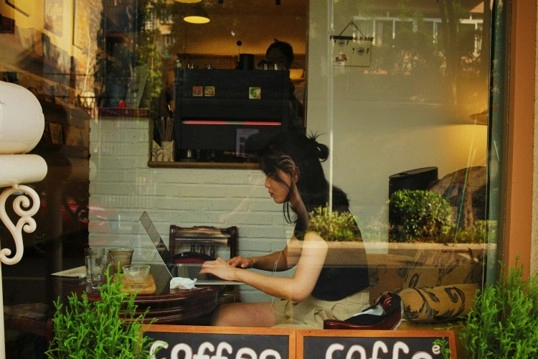
Image description: A woman using her laptop in a coffee shop, highlighting the risks of working on public Wi-Fi and the need for a secure internet connection. Photo by Joey Huang on Unsplash.
How Can Virtual Assistants Keep Client Data Safe?
Keeping client data safe doesn’t need to be complicated. In my own VA business, I use strong, unique passwords, LastPass to manage logins, Dropbox to store files in the cloud, a shredder for sensitive paperwork and my phone hotspot instead of public Wi-Fi when I work away from home.
The tools I use have changed considerably since I became a Virtual Assistant in 2011, but the aim has always been the same, to protect the client information I’m trusted with.
FAQs
Q: How do I keep client passwords secure as a Virtual Assistant?
Use a strong, unique password for each account and store login details in a password manager rather than writing them down or saving them in documents. I use LastPass in my own VA business to manage my business and client logins.
Q: How can a Virtual Assistant protect client data?
I use a combination of LastPass for passwords, Dropbox for cloud storage and a shredder for paperwork containing sensitive information.
Q: Is it safe to work as a Virtual Assistant on public Wi-Fi?
I prefer not to use public Wi-Fi for client work. When I’m away from home, I use the personal hotspot on my phone instead, so I don't need to rely on pulblic Wi-Fi in cafés, hotels or other public spaces.
Q: Should Virtual Assistants shred client paperwork?
I shred any paperwork containing sensitive client information rather than putting it straight into the bin. This can include client notes or calculations containing financial information.
You Might Also Like:
Why Virtual Assistant Contracts Matter for Your Business
-
Password Security for Virtual Assistants: How to Keep Client Data Safe
- How Do I Keep Client Passwords Secure as a Virtual Assistant?
- How Do I Create Strong Passwords for Client Accounts?
- How Does a Home Office Shredder Help With Client Data Security?
- How Does Dropbox Help With Data Security for a Small Business?
- What Does UK GDPR Mean for Data Security in a Small Business?
- Should Virtual Assistants Use Public Wi-Fi for Client Work?
- How Can Virtual Assistants Keep Client Data Safe?
- FAQs
Disclosure: Some of the links in this article may be affiliate links, which can provide compensation to me at no cost to you if you decide to purchase. This site is not intended to provide financial advice and is for entertainment only.